Shopify apps
Each app handles one specific problem. Here is what each one does, where it runs in your store, and where to install it.
Three apps touch checkout, for different reasons
| App | Use it when | What it does at checkout |
|---|---|---|
| ConsentGuard | Chargebacks and disputes often arrive weeks or months after an order, and by then you need evidence that the customer agreed to your terms. | Cart and checkout: collects and stores terms acceptance |
| Linesman | Card-testing bots run hundreds of small payment attempts through a store's checkout, causing declines, fees and fake customer records. | Checkout payment step: blocks suspicious checkout attempts |
| PixelGuard | Meta Ads reports fewer sales than the Shopify admin, and nothing tells you which orders were missed or why. | Checkout tracking: compares orders with pixel events |

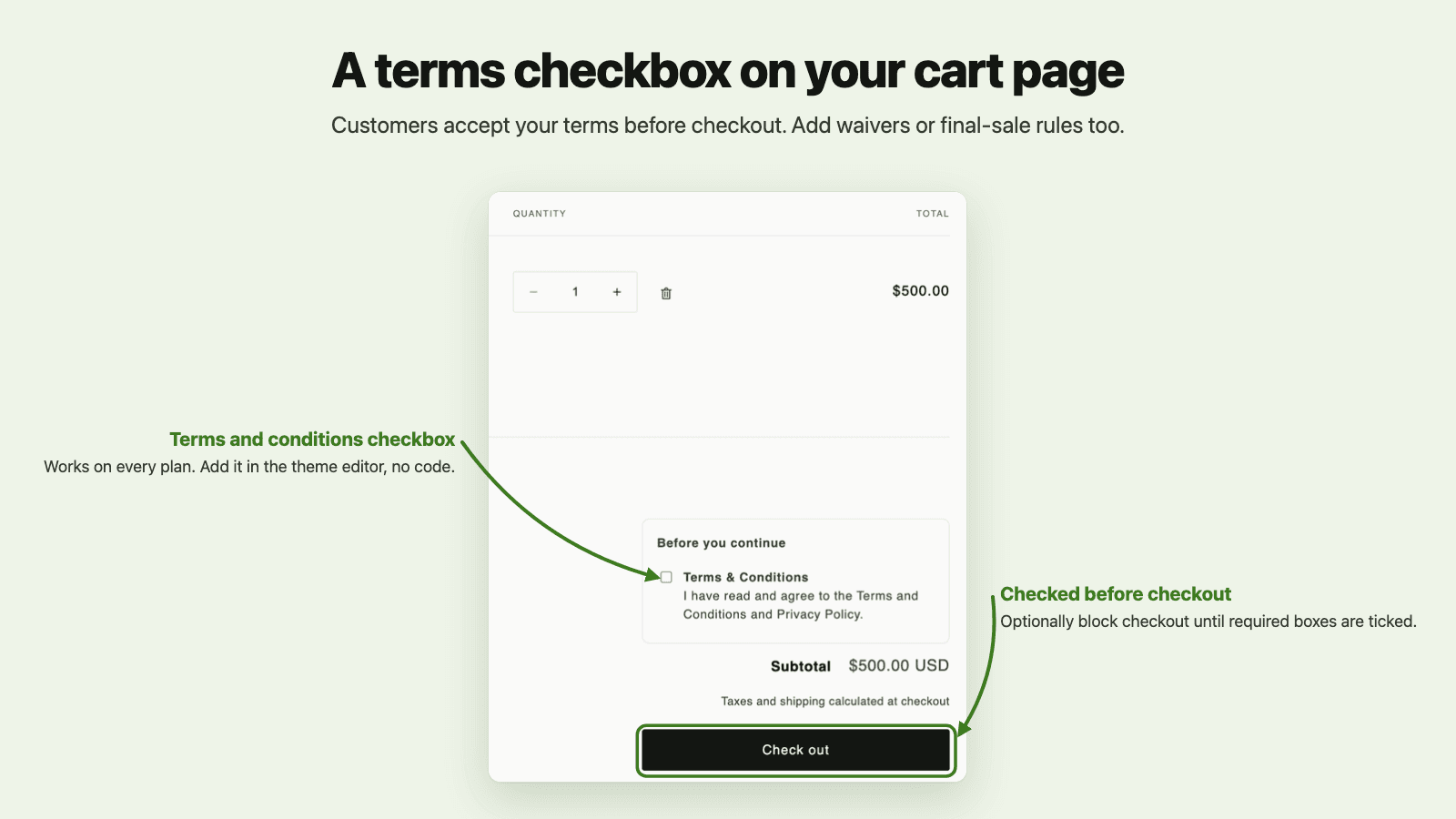
ConsentGuard
Listed as “ConsentGuard: Terms Checkbox”
Asks customers to accept your terms before checkout and keeps exportable proof of every acceptance.
- The problem
- Chargebacks and disputes often arrive weeks or months after an order, and by then you need evidence that the customer agreed to your terms.
- Where it works
- Cart and checkout: collects and stores terms acceptance
- What it does
- Records the exact text each customer accepted, with order number and time
- Export dispute evidence for one order, or all consent history as CSV
- Consent block on the cart page that works on every Shopify plan
- Optional enforcement that also covers Shop Pay, Apple Pay and Buy It Now
- Alerts when orders complete without the expected consent

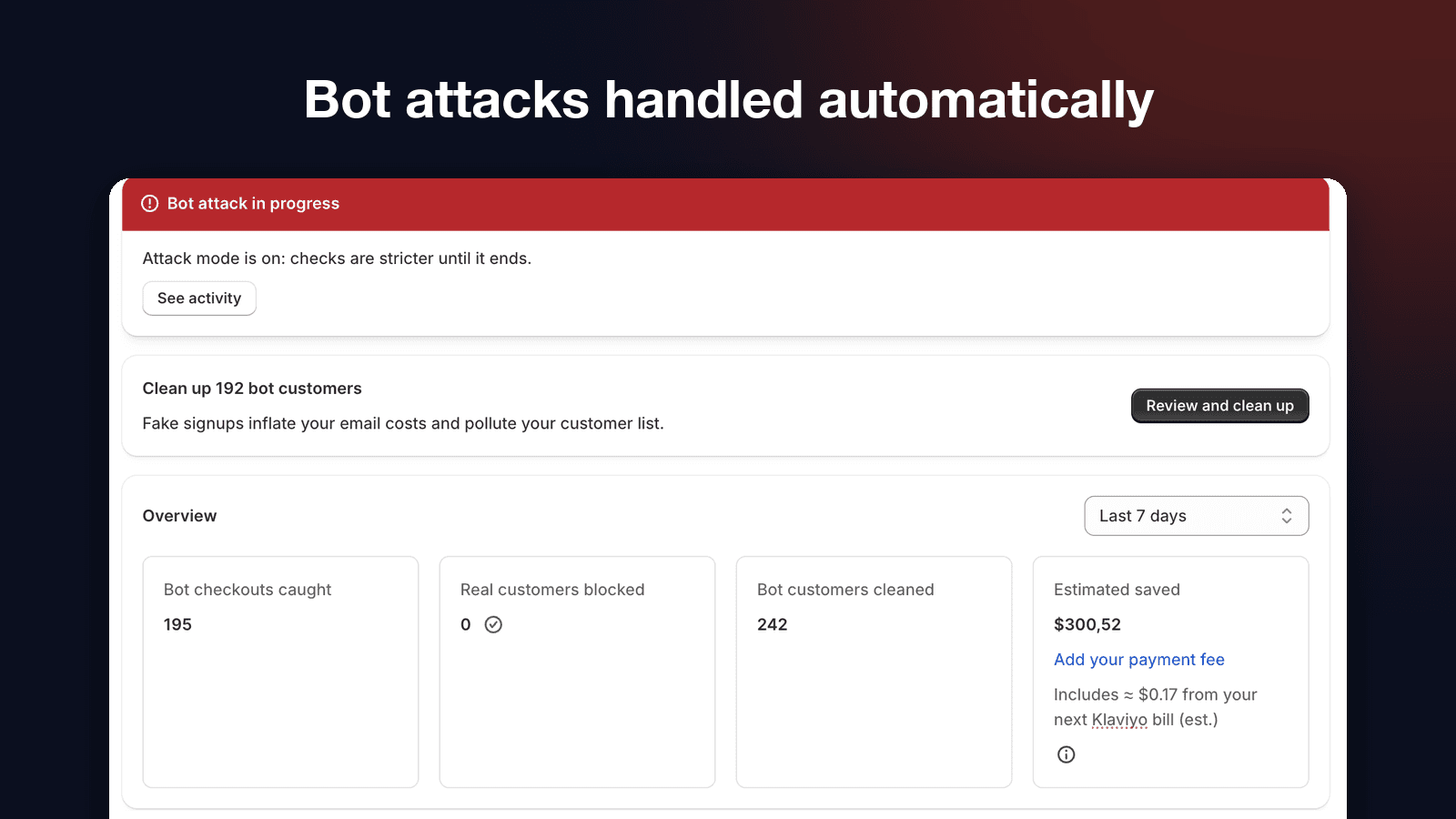
Linesman
Not yet on the Shopify App Store
Stops bot checkouts and card testing at the payment step, then cleans up the fake customer accounts bots leave behind.
- The problem
- Card-testing bots run hundreds of small payment attempts through a store's checkout, causing declines, fees and fake customer records.
- Where it works
- Checkout payment step: blocks suspicious checkout attempts
- What it does
- Stops card testing at the payment step, including Shop Pay and express checkout
- Watch mode shows what it would block before you turn blocking on
- Returning customers and your allow list always pass
- Attack mode tightens checks automatically during an attack
- Finds and deletes fake customer accounts and suppresses them in Klaviyo

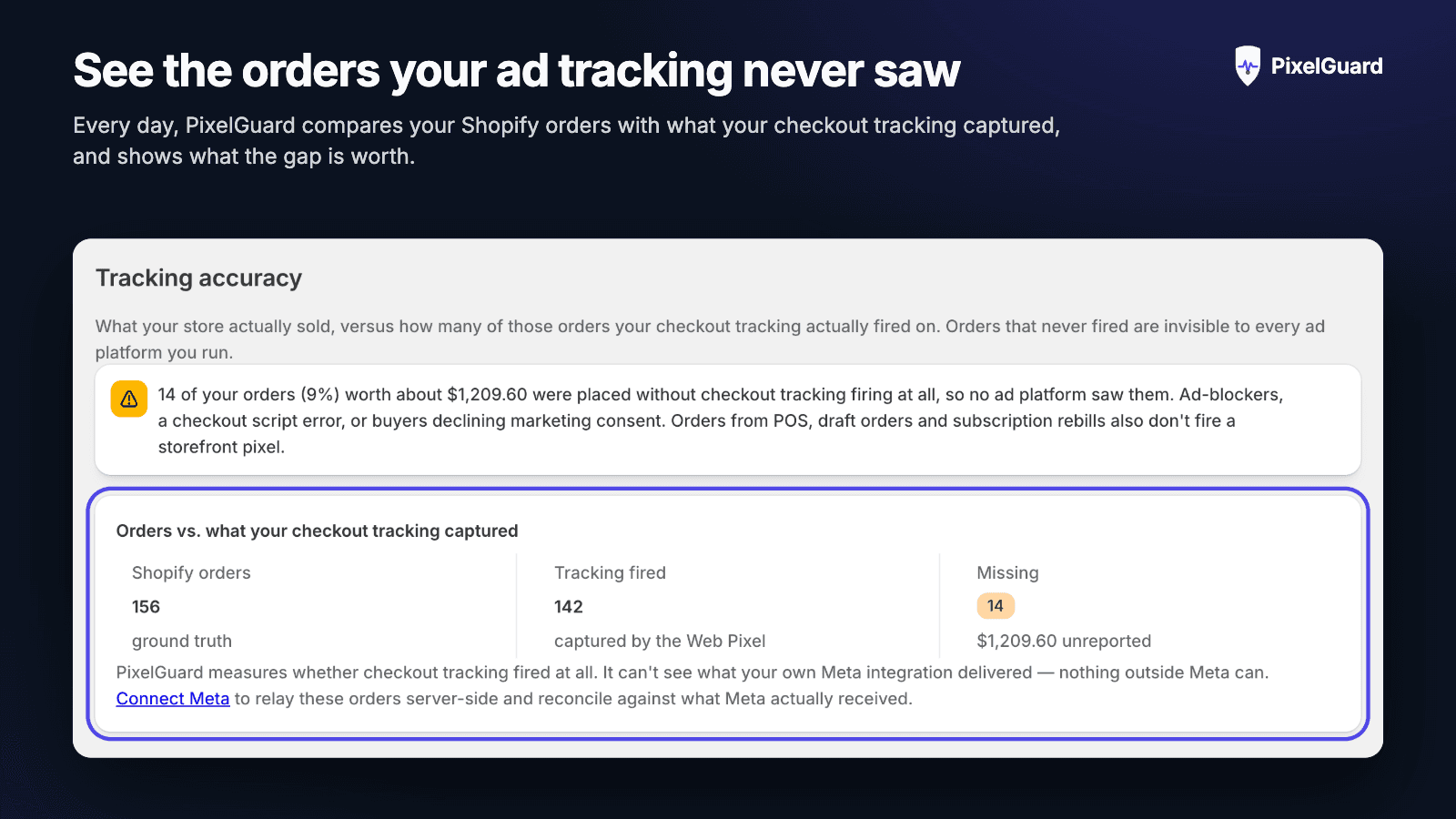
PixelGuard
Listed as “PixelGuard: Meta Pixel & CAPI”
Shows how many of your orders your Meta ad tracking actually saw, and the gap in money.
- The problem
- Meta Ads reports fewer sales than the Shopify admin, and nothing tells you which orders were missed or why.
- Where it works
- Checkout tracking: compares orders with pixel events
- What it does
- See how many orders your checkout tracking actually fired on
- The gap shown in money, not just a percentage
- Email alert when the gap opens up
- Server-side Meta Conversions API to keep conversions arriving when the pixel can't
- Warns before two integrations double-count sales

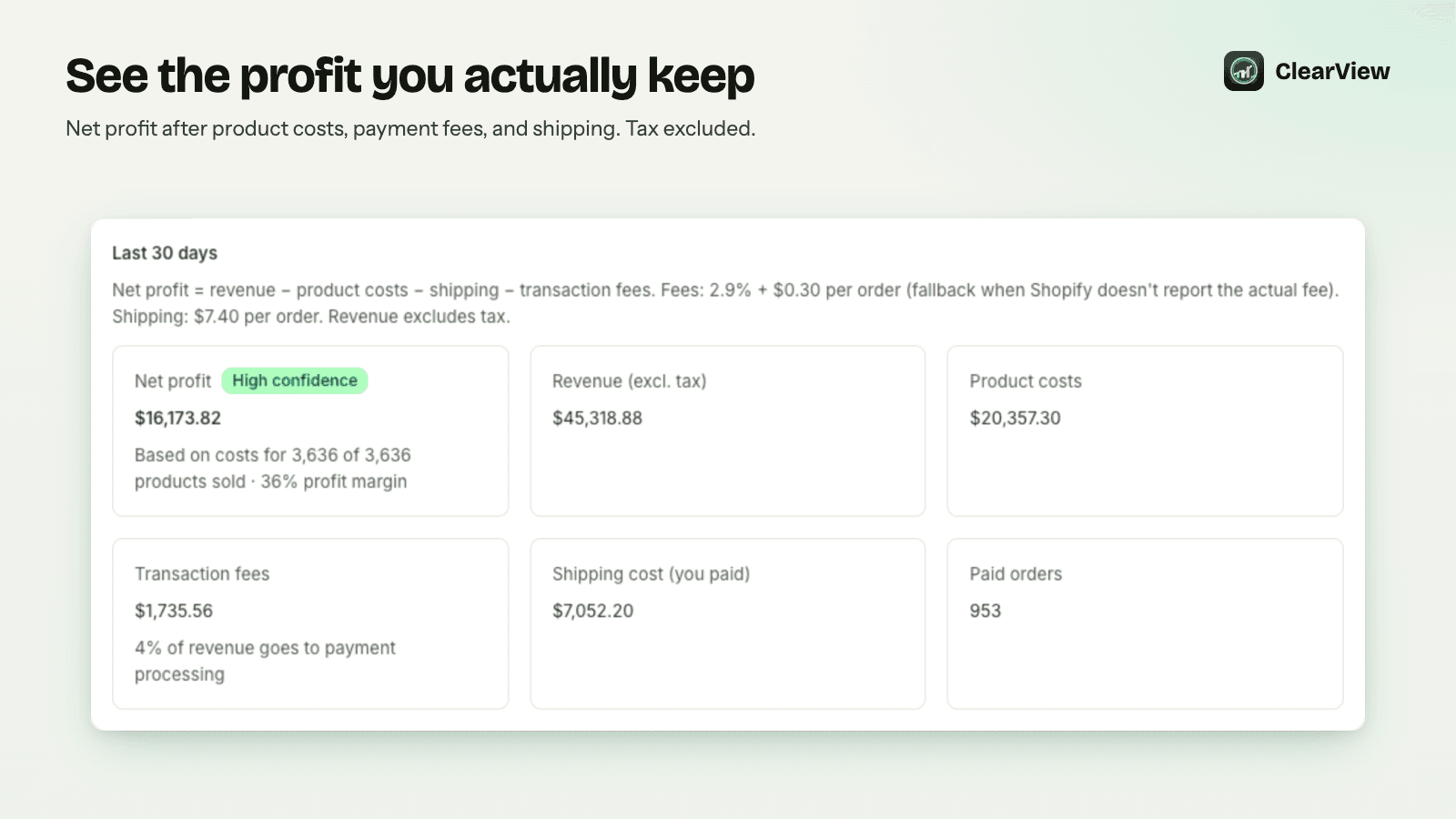
ClearView
Listed as “ClearView: Profit Analytics”
Shows your true net profit on every order, after COGS, transaction fees, shipping and refunds.
- The problem
- Shopify reports revenue, but many merchants can't easily see which orders and products actually make money.
- Where it works
- Shopify admin: reporting on existing order data
- What it does
- Per-order and per-product net profit
- Dashboard for the last 7, 30 or 90 days
- Most and least profitable products
- Cost coverage indicator so you know how complete the numbers are
- Product costs from Shopify, CSV or manual entry