
ConsentGuard
- Free
- Rated 5.0 out of 5 on the Shopify App Store, (1 review)
Asks customers to accept your terms before checkout and keeps exportable proof of every acceptance.
Cart page on every plan; also inside checkout on Shopify Plus
On the Shopify App Store as “ClearView: Profit Calculator”
Shows your true net profit on every order, after product costs, transaction fees, shipping and refunds.
Opens the official Shopify App Store listing, where you install and manage the app.
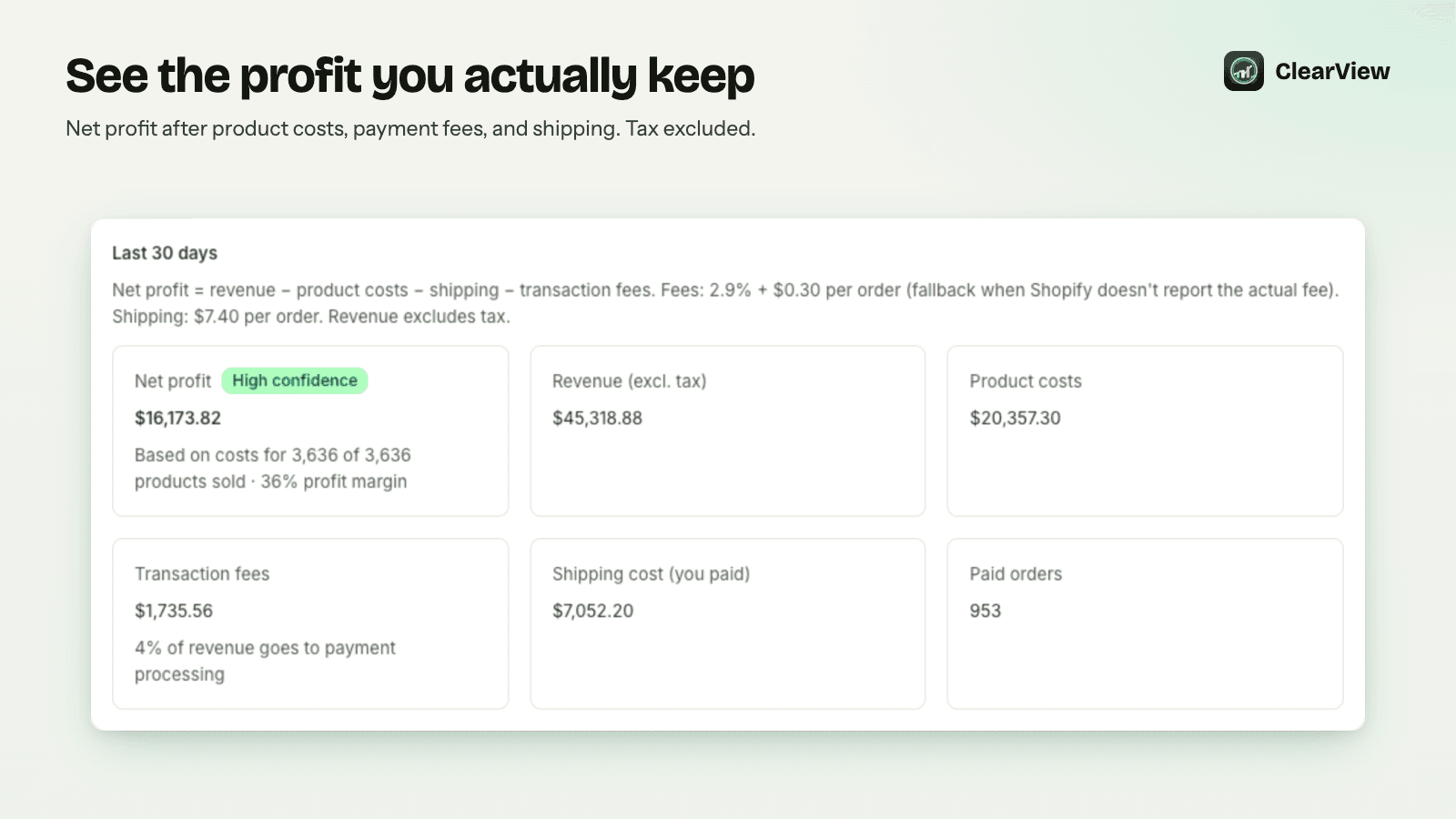
Shopify reports revenue, but many merchants can't easily see which orders and products actually make money.
Where it works: Shopify admin: reporting on your existing order data, nothing on the storefront
Yes, the App Store listing shows ClearView as free, with every feature included for up to 5,000 orders a month.
On install it imports your last 60 days of orders, which is what Shopify gives apps by default. Newer orders then build up to 180 days of history.
From the Cost per item you set in Shopify, a CSV import, or manual entry in the app, with manual costs taking priority. A cost coverage check shows which sales have no known cost.
ClearView uses the actual transaction fee Shopify reports when available, otherwise the percentage and fixed fee you set. Shipping cost is the average per-order amount you enter, and tax is excluded from revenue.
No. ClearView uses only your Shopify order and product data.
Order totals, line items and traffic source, but not customer names, emails, addresses or payment details. Uninstalling deletes all of your store's data from ClearView.
Price and rating as shown on the App Store on 13 October 2026. The listing is always the current source.
Asks customers to accept your terms before checkout and keeps exportable proof of every acceptance.
Cart page on every plan; also inside checkout on Shopify Plus

Shows how many of your Shopify orders your checkout tracking actually fired on, and what the missed orders are worth.
Checkout tracking: compares orders with the Purchase events your checkout fired

Built to stop card-testing bots at the payment step and clean up the fake customer accounts they leave behind.
Checkout payment step: checks carts before payment