
ConsentGuard
- Free
- Rated 5.0 out of 5 on the Shopify App Store, (1 review)
Asks customers to accept your terms before checkout and keeps exportable proof of every acceptance.
Cart page on every plan; also inside checkout on Shopify Plus

On the Shopify App Store as “PixelGuard: Meta Pixel & CAPI”
Shows how many of your Shopify orders your checkout tracking actually fired on, and what the missed orders are worth.
Opens the official Shopify App Store listing, where you install and manage the app.
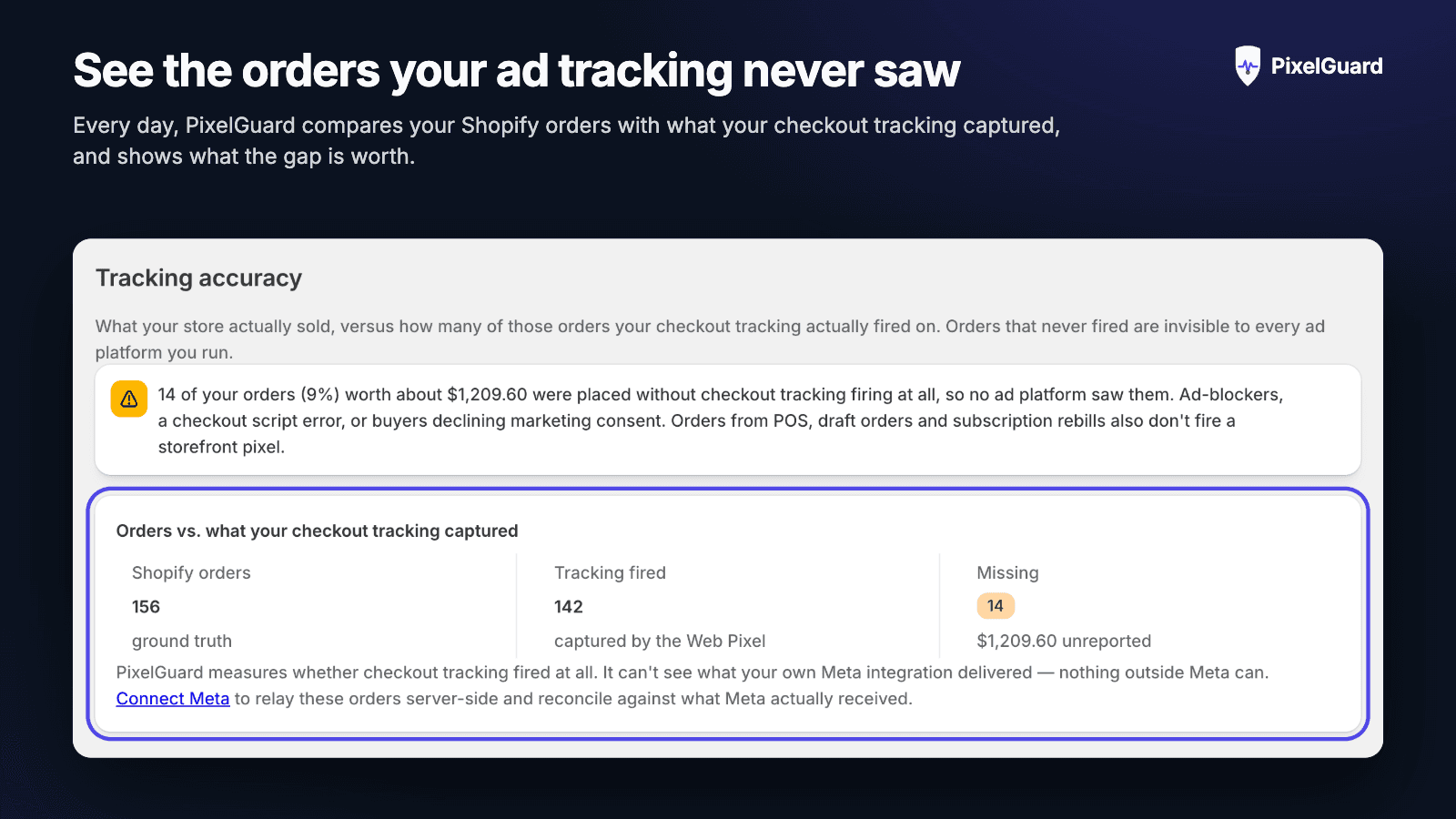
Meta Ads reports fewer sales than the Shopify admin, and nothing tells you which orders were missed or why.
Where it works: Checkout tracking: compares orders with the Purchase events your checkout fired
Why Meta reports fewer purchases than your Shopify admin: Why Meta shows fewer purchases than Shopify, which part of the gap is normal, and a step-by-step way to measure how many orders your tracking missed.
No. The free plan (pixel audit, daily tracking-accuracy report and gap alerts) needs no Meta login; you only add a Meta Pixel ID and access token to use the paid server-side Conversions API.
Yes, the free plan audits it rather than replacing it. Before you turn on the paid server-side relay, the audit checks whether that channel or another app already sends Purchase events, because two senders can make Meta count a sale twice.
No. POS orders, draft orders, subscription renewals and shoppers who declined marketing consent never fire checkout tracking, so PixelGuard shows the gap together with these causes.
The Pixel ID check works the first time you open the app. The orders-versus-Purchase-events report needs at least one checkout and a nightly comparison, so roughly a day.
Order value, items and match signals such as IP address, user agent and Meta cookies. Email, phone, name and location are used only with marketing consent, hashed with SHA-256 on receipt, and the raw values are discarded.
Cancelling the paid plan returns you to the free plan. Uninstalling stops all relaying immediately, and your shop's data is erased when Shopify sends its store-erasure request.
Price and rating as shown on the App Store on 13 October 2026. The listing is always the current source.
Asks customers to accept your terms before checkout and keeps exportable proof of every acceptance.
Cart page on every plan; also inside checkout on Shopify Plus

Shows your true net profit on every order, after product costs, transaction fees, shipping and refunds.
Shopify admin: reporting on your existing order data, nothing on the storefront

Built to stop card-testing bots at the payment step and clean up the fake customer accounts they leave behind.
Checkout payment step: checks carts before payment